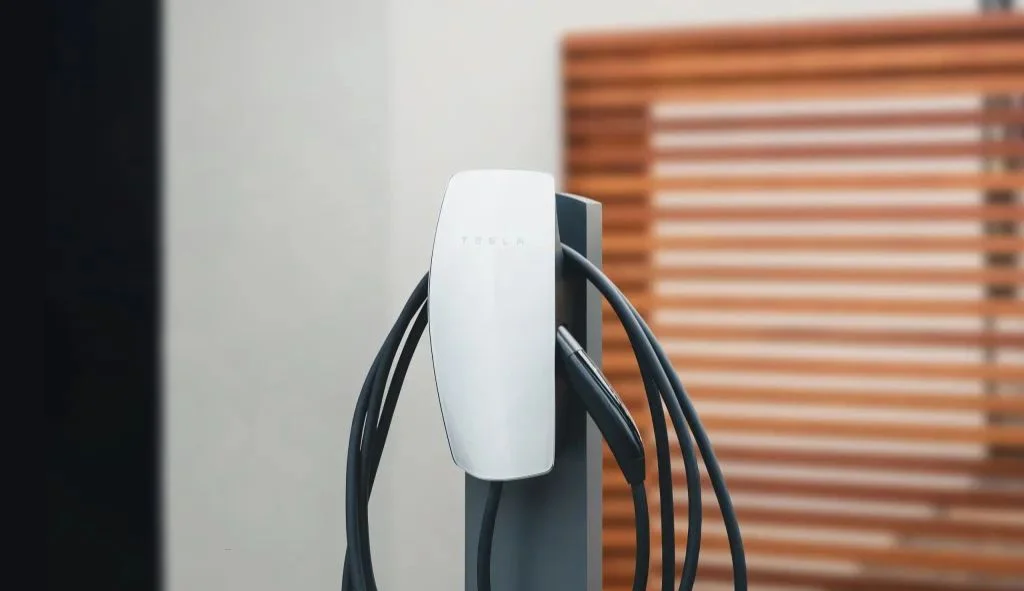
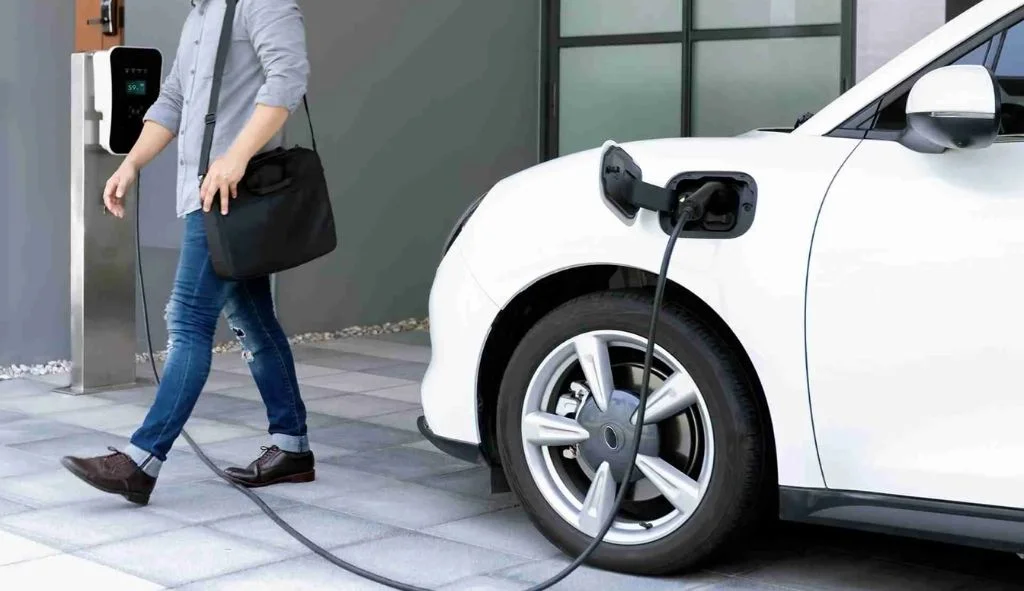
Tesla Wall Charger Gen 2 offers higher 80-amp output while Gen 3 provides WiFi connectivity, sleeker design, and 48-amp charging that meets the needs of all current Tesla models.
Understanding Tesla Wall Connectors
The Tesla Wall Connector remains one of the most popular home charging solutions for Tesla owners. As technology advances, Tesla has released different generations of their Wall Connector, each with unique features and capabilities. The two most widely compared versions are the Generation 2 (Gen 2) and Generation 3 (Gen 3) Wall Connectors.
For Tesla owners looking to install a home charging station, understanding the differences between these two generations is essential for making an informed decision. Both chargers serve the same basic function – to charge your Tesla vehicle efficiently at home – but they differ in several important aspects that may influence which one is right for your specific needs.
Evolution of Tesla Wall Connectors
Tesla’s home charging solutions have evolved significantly since the company first introduced its electric vehicles. The Gen 2 Wall Connector, also known as the High Power Wall Connector (HPWC), was introduced around 2016 and became a standard for many Tesla owners. The Gen 3 Wall Connector was released in 2020, bringing new features and a redesigned look.
Each generation represents Tesla’s response to user feedback and technological advancements in EV charging. The changes between generations reflect not only improvements in charging technology but also adaptations to the evolving needs of Tesla’s vehicle lineup.
Key Specifications Comparison
| Feature | Tesla Wall Charger Gen 2 | Tesla Wall Charger Gen 3 |
|---|---|---|
| Max Output | 80 amps (20 kW) | 48 amps (11.5 kW) |
| Charging Speed | Up to 75 mph (Model S/X with dual chargers) | Up to 44 mph (All current models) |
| Cable Length | 24 ft | 18 ft |
| Cable Flexibility | Thicker, less flexible | Thinner, more flexible |
| Smart Features | None | WiFi connectivity, OTA updates, app control |
| Power Sharing | Up to 4 units | Up to 6 units |
| Vehicle Compatibility | Older Teslas (pre-2016) with dual chargers | All current Teslas & NACS vehicles |
| Circuit Requirement | 100-amp breaker (80A output) | 60-amp breaker (48A output) |
| Dimensions | 15″ H x 6.3″ W x 5.5″ D (20 lbs) | 13.6″ H x 6.1″ W x 4.3″ D (13 lbs) |
| User Interface | Physical DIP switches | Digital setup via Tesla app/web interface |
| Access Control | None | Vehicle whitelisting (10 VINs) |
| Weather Resistance | IP54 | IP55 |
| Software Updates | Not supported | Over-the-air updates via WiFi |
| Price (New) | Discontinued (~$500-$700 used) | $475 |
| Future-Proofing | Limited to legacy vehicles | NACS standard, bidirectional charging potential |
Power Output and Amperage
One of the most significant differences between the two generations is their maximum power output. The Gen 2 Wall Connector can deliver up to 80 amps of current with a maximum power output of 20 kW when connected to a 240V power supply. In contrast, the Gen 3 Wall Connector has a maximum output of 48 amps, delivering up to 11.5 kW of power.
This difference in amperage might initially seem like a disadvantage for the Gen 3, but there’s an important context to consider. Tesla no longer manufactures vehicles that can accept more than 48 amps of AC charging. Current models like the Model 3, Model Y, and newer versions of Model S and Model X are limited to 48 amps maximum AC charging capability. This means the extra amperage capability of the Gen 2 isn’t usable with newer Tesla vehicles.
Physical Design and Dimensions
The physical design of the two generations differs considerably. The Gen 2 Wall Connector features a silver or black plastic housing with dimensions of approximately 15.0″ (height) x 6.3″ (width) x 5.5″ (depth) and weighs about 20 pounds including the mounting bracket.
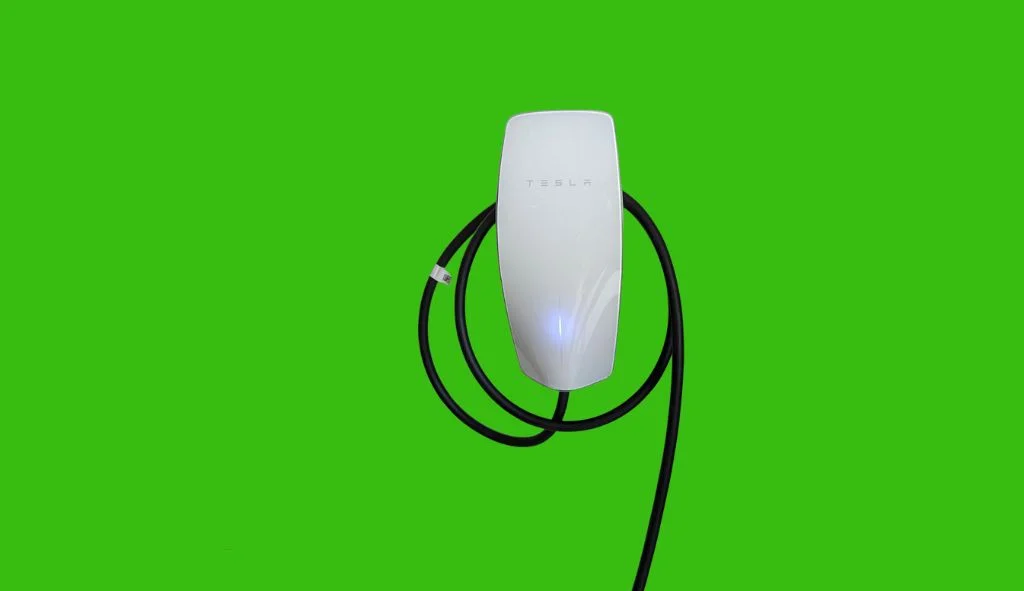
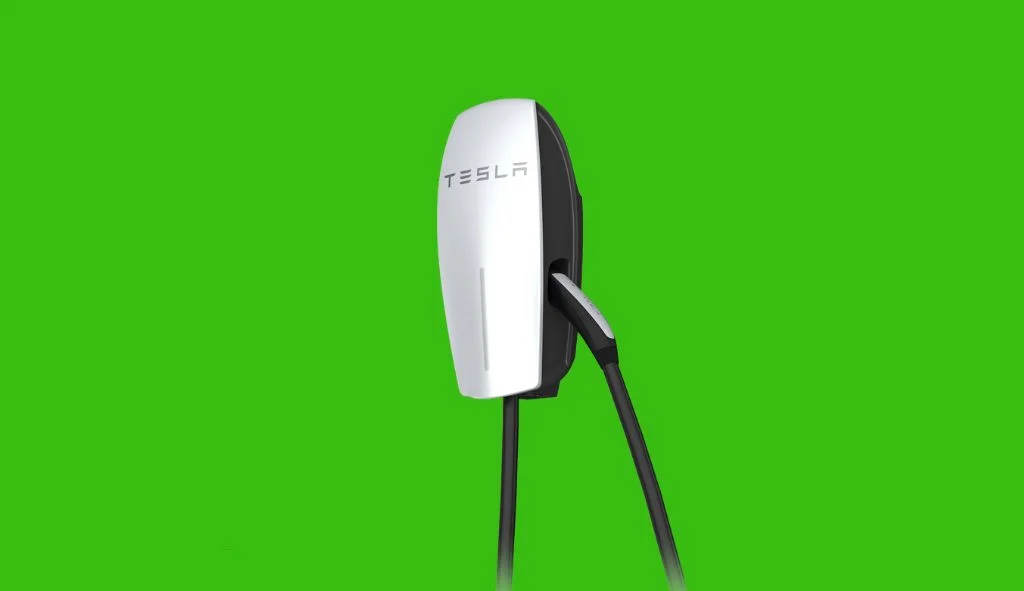
The Gen 3 Wall Connector has a more modern design with a sleek white finish and a glass front panel. It’s generally more compact and significantly lighter than its predecessor. This newer design gives it a more premium look that many users find better matches the Tesla brand aesthetic.
Cable Length and Flexibility
Cable length and flexibility represent another notable difference between the two generations. The Gen 2 Wall Connector comes with a 24-foot cable, which provides excellent reach for charging vehicles parked in different positions.
The Gen 3 Wall Connector has a shorter 18-foot cable, which may be less convenient in some garage setups. However, the Gen 3’s cable is thinner and more flexible, making it easier to handle and store when not in use. Many users find that the improved cable flexibility of the Gen 3 offsets the shorter length, as the cable is less cumbersome to maneuver around the garage.
Charging Speed and Compatibility
Charging Rates Comparison
Despite the difference in maximum amperage, the actual charging speed experienced by most Tesla owners won’t differ significantly between the two generations. The Gen 3 Wall Connector can deliver up to 44 miles of range per hour to a Model 3 or Model Y at its maximum 48-amp output. This is more than sufficient for overnight charging, which is how most home charging is done.
The Gen 2 could theoretically charge older dual-charger equipped Model S vehicles faster (at up to 80 amps), but these vehicles are increasingly rare in the Tesla fleet. For any Tesla made in recent years, the charging speed difference between the two Wall Connectors is negligible.
Vehicle Compatibility
Both Wall Connectors are compatible with all Tesla vehicles, but their optimal use cases differ slightly:
- Gen 2 Wall Connector: Ideal for older Model S vehicles (pre-2016) that were equipped with the optional dual chargers capable of accepting up to 80 amps.
- Gen 3 Wall Connector: Perfect for all current Tesla models, including Model 3, Model Y, and newer versions of Model S and Model X, which have a maximum AC charging capacity of 48 amps.
It’s worth noting that the Gen 3 Wall Connector also includes an option for Tesla’s connector (NACS), making it compatible with newer non-Tesla electric vehicles that have adopted the NACS standard.
Circuit Breaker Requirements
The different amperage capabilities of the two generations also affect their circuit breaker requirements:
- Gen 2 Wall Connector: For maximum charging speed, it requires installation on a 100-amp circuit breaker when used at its full 80-amp capacity.
- Gen 3 Wall Connector: Requires a maximum of a 60-amp circuit breaker for its full 48-amp charging capacity.
Both Wall Connectors can be installed on lower-amperage circuit breakers with corresponding reductions in charging speed, offering flexibility for homes with different electrical setups.
Smart Features and Connectivity
WiFi Capabilities
The Gen 3 Wall Connector introduces WiFi connectivity, a feature absent in the Gen 2. This WiFi connection enables software updates, remote monitoring, and additional smart features that enhance the user experience.
The Gen 2 Wall Connector lacks network connectivity, making it a more basic “plug and charge” solution without the smart features that have become standard in newer EV charging equipment.
User Interface and Control
The user interface differs significantly between the two generations:
- Gen 2 Wall Connector: Configuration is done through physical DIP switches inside the unit. This mechanical interface is straightforward but lacks the flexibility of digital control.
- Gen 3 Wall Connector: Configuration is performed through a web interface or the Tesla app, providing a more modern and user-friendly experience. This digital interface allows for easier adjustments and access to additional features.
Power Management Features
Power management capabilities represent a major advancement in the Gen 3 Wall Connector:
- Gen 2 Wall Connector: Can link up to four units together for power sharing, allowing multiple vehicles to charge simultaneously while intelligently distributing available power.
- Gen 3 Wall Connector: Expands this capability to support up to six Wall Connectors in a power-sharing configuration, making it more suitable for larger installations with multiple Tesla vehicles. The Gen 3 also features more sophisticated load balancing capabilities.
Access Control Features
The Gen 3 Wall Connector introduces access control features that weren’t available in the Gen 2. These features allow owners to restrict charging access directly through the Tesla One app without requiring a physical locking device.
The access control features include options to allow:
- All vehicles
- Only Tesla vehicles
- Authorized Tesla vehicles only (up to 10 specific VINs)
- Compatibility mode for older vehicles
This functionality is particularly valuable for Wall Connectors installed in shared spaces like multi-unit dwellings or workplaces where controlling access is important.
Installation and Setup Process
Hardware Installation Comparison
The physical installation process is similar for both generations, requiring hardwiring by a licensed electrician. However, there are some differences:
- Gen 2 Wall Connector: Includes a mounting template and offers four different ways to bring wires into the wiring box. The unit snaps onto a mounting bracket and is secured with screws.
- Gen 3 Wall Connector: Features a simplified mounting system that many electricians find easier to work with. The lighter weight and more compact size of the Gen 3 also make the physical installation somewhat easier.
Both units are designed for indoor or outdoor installation and are rated for a wide range of operating temperatures (-22°F to 122°F/-30°C to 50°C).
Setup and Configuration
The setup process differs significantly between the two generations:
- Gen 2 Wall Connector: Configuration is done manually using DIP switches inside the unit. This process is more mechanical and requires physical access to the internals of the unit to make changes.
- Gen 3 Wall Connector: After installation, the unit requires “commissioning” – a process of connecting it to WiFi using a smartphone or tablet. This digital setup allows for remote configuration and enables access to smart features.
The Gen 3’s commissioning process adds an extra step to the initial setup but provides much greater flexibility once completed.
Future Firmware Updates
Another significant difference is how the two generations handle firmware updates:
- Gen 2 Wall Connector: No capability for firmware updates. The functionality remains static throughout its lifetime.
- Gen 3 Wall Connector: Receives over-the-air firmware updates when connected to WiFi, allowing for bug fixes, performance improvements, and potentially new features over time.
This updatability makes the Gen 3 more future-proof, as Tesla can continue to enhance its functionality and address any issues that arise.
Practical Considerations for Owners
Cost and Value Comparison
The Gen 3 Wall Connector is generally priced similarly to the Gen 2 when it was available new, though the Gen 2 is now mostly available only through secondary markets. The upfront cost difference is usually not significant enough to be a primary decision factor.
However, value considerations extend beyond the purchase price:
- Gen 2 offers higher amperage, which may be valuable for owners of older dual-charger Model S vehicles.
- Gen 3 offers smart features and future-proofing that may provide better long-term value for most current Tesla owners.
Durability and Reliability
Both generations are built to high standards, but there are some differences in durability considerations:
- Gen 2 Wall Connector: Features a more robust cable and connection terminals. Some users report greater durability in extreme weather conditions.
- Gen 3 Wall Connector: The tempered glass faceplate, while aesthetically pleasing, may be more susceptible to damage than the plastic housing of the Gen 2. However, the thinner cable may experience less stress and potential damage over time.
Reliability reports from users suggest both units perform well over time, though the Gen 2 has been in service longer, providing more long-term reliability data.
Future-Proofing Considerations
For Tesla owners concerned about future-proofing their home charging solution:
- Gen 2 Wall Connector: Offers higher amperage, but lacks smart features and update capabilities. Its utility may diminish as Tesla continues to focus on newer technologies.
- Gen 3 Wall Connector: While limited to 48 amps, this matches the maximum charging capacity of all current Tesla vehicles. Its smart features and updatability make it more adaptable to future needs.
The Gen 3’s WiFi connectivity and firmware update capability provide a clear advantage for future-proofing, as new features can be added without hardware replacement.
Bidirectional Charging Potential
There have been mentions in Tesla forums about bidirectional charging capabilities with the Gen 3 Wall Connector, particularly when combined with additional Tesla products like the Powerwall 3 or Tesla Gateway. This potential functionality could allow compatible vehicles to not only draw power from the grid but also return power when needed.
While this capability isn’t fully implemented yet, the hardware architecture of the Gen 3 Wall Connector appears more suited to potentially support this feature in the future, giving it another advantage over the Gen 2 for forward-looking installations.
Which Tesla Wall Connector Is Right For You?
For Owners of Older Tesla Models
If you own an older Tesla Model S with dual chargers capable of accepting 80 amps, the Gen 2 Wall Connector may offer faster charging. This is the one scenario where the Gen 2’s higher amperage capability provides a tangible benefit.
For these older vehicles, the decision comes down to whether maximum charging speed or smart features are more important to you. The Gen 2 will charge faster, but the Gen 3 offers greater convenience and future flexibility.
For Owners of Current Tesla Models
For any Tesla manufactured in recent years (including all Model 3, Model Y, and newer Model S and Model X vehicles), the Gen 3 Wall Connector is generally the better choice. The 48-amp maximum of the Gen 3 matches the maximum AC charging capacity of these vehicles, so the higher amperage of the Gen 2 provides no additional benefit.
The smart features, more flexible cable, and modern design of the Gen 3 make it better suited to current Tesla models and their owners’ expectations.
For Multi-Vehicle Households
For households with multiple Tesla vehicles, the Gen 3 Wall Connector’s enhanced power-sharing capabilities (supporting up to six connected units versus four for the Gen 2) make it the more versatile option. The ability to more efficiently distribute available power among multiple vehicles can be valuable in these settings.
The Gen 3’s access control features may also be useful in scenarios where multiple drivers use the same charging equipment.
For Integration with Tesla Ecosystem
If you have or plan to have other Tesla products such as Powerwall, solar panels, or other energy products, the Gen 3 Wall Connector will likely integrate better with the broader Tesla ecosystem. Its connectivity features position it as part of Tesla’s larger energy management strategy rather than simply a charging device.
The potential for future features like bidirectional charging also makes the Gen 3 more appropriate for those looking to create a comprehensive Tesla energy solution.
Common Questions About Tesla Wall Connectors
Can I use a Gen 2 or Gen 3 Wall Connector with non-Tesla vehicles?
The Gen 3 Wall Connector is available with Tesla’s NACS connector, which is being adopted by more manufacturers. With the appropriate adapter, both generations can work with non-Tesla EVs, though functionality may be limited and charging speeds may vary.
Do I need to upgrade from Gen 2 to Gen 3 if I’m happy with my current setup?
If your Gen 2 Wall Connector is working well for your needs, there’s no urgent need to upgrade. The primary reasons to consider upgrading would be to gain smart features, better power sharing, or improved integration with other Tesla products.
Can I install a Wall Connector myself or do I need an electrician?
Both Gen 2 and Gen 3 Wall Connectors require hardwiring and should be installed by a licensed electrician. This is not only for safety reasons but also to ensure compliance with local electrical codes and maintain warranty coverage.
Will a 48-amp charger be enough for future Tesla vehicles?
Based on current trends, 48 amps is likely to remain sufficient for AC home charging. Tesla has not increased the onboard charger capacity beyond 11.5 kW in their newer models, suggesting this level is considered optimal for home charging. For faster charging, Tesla continues to focus on expanding its Supercharger network rather than increasing AC charging rates.
How much faster will my Tesla charge with a Wall Connector versus a standard outlet?
A standard 120V outlet (Level 1 charging) typically adds about 3-5 miles of range per hour. The Gen 3 Wall Connector at 48 amps can add up to 44 miles of range per hour – roughly 10 times faster. This difference makes a Wall Connector essential for daily charging of a Tesla with a medium to large battery.