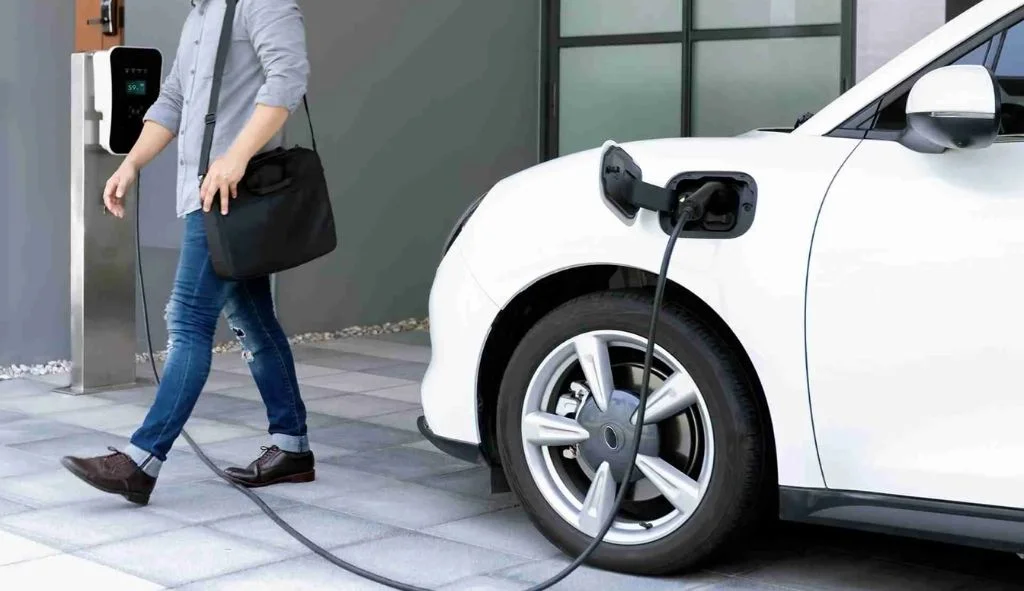
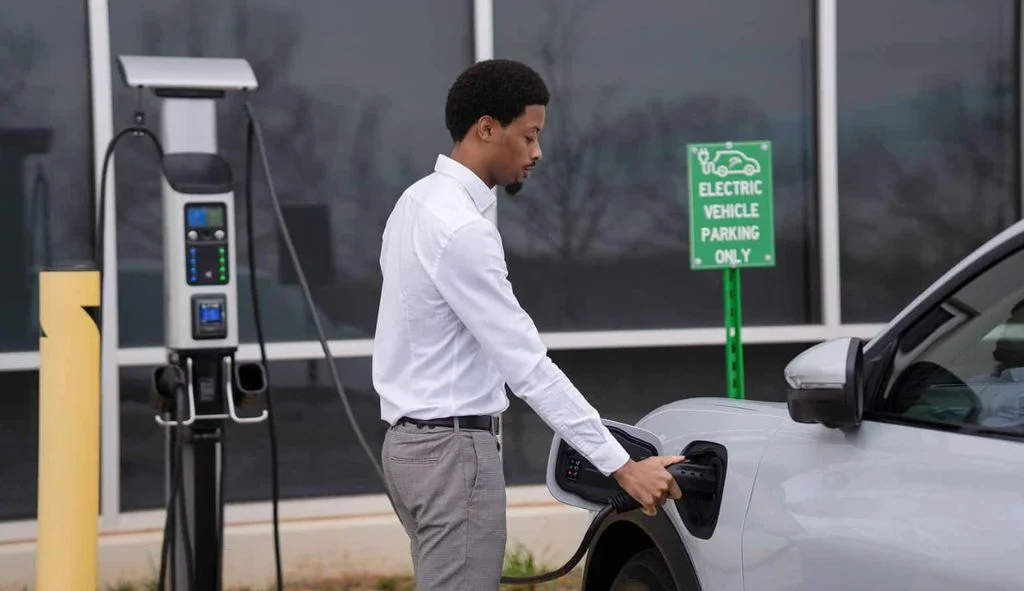
Yes, you can charge a Tesla at a non-Tesla charging station. Public Level 2 posts with a J1772 plug work with the adapter that comes with every new Tesla, and DC fast chargers with a CCS1 plug work with Tesla's CCS Combo 1 adapter, sold separately for $300 as of October 2026.
What you can't do is pull into any stall and assume it will work. The connector on the station's cable decides everything: whether you need an adapter, which one, and roughly how fast you'll charge.
Read the connector first
In the US you'll meet four connector types on public chargers. Look at the plug face on the station's cable (or the network app's station listing) before you park.
| On the station | What it is | What your Tesla needs |
|---|---|---|
| NACS (SAE J3400) | Tesla's own plug, now the North American standard | Nothing; plugs straight in |
| J1772 | The round Level 2 AC plug on most public posts | The J1772 adapter that came with the car |
| CCS1 (Combo 1) | J1772 top with two large DC pins below; DC fast charging | Tesla's CCS Combo 1 adapter, $300 |
| CHAdeMO | Older round DC plug, mostly on older stations | An older Tesla CHAdeMO adapter, if you have one |

A quick way to tell CCS1 from J1772 at a glance: a CCS1 handle is noticeably bigger and has the extra two-pin section underneath. Never put the J1772 adapter on a CCS1 handle. EVgo specifically warns that putting an AC adapter on a DC connector won't charge and can damage the station's plug.
Level 2 stations with the J1772 adapter
This is the one every Tesla owner can use today without buying anything. Tesla includes the J1772 adapter with every vehicle delivery, and a replacement is $50 from the Tesla Shop. Tesla rates it for up to 19.2 kW and says it works with most public Level 2 stations. If you bought a used car and the adapter is missing, it's worth replacing before your first trip; see what comes in the box with a new Tesla for the rest of the kit.
Networks you'll use it on include ChargePoint, which runs mostly Level 2 posts, plus the workplace, municipal, hotel and retail chargers that run on various networks' software. Tesla's charging support page puts it simply: stations labeled J1772 work with the J1772 adapter.
How fast J1772 charging really is
The adapter's 19.2 kW rating isn't what you'll get. Two things set the real speed:
- Your car's onboard charger. Teslas accept at most 48 A (11.5 kW) on AC. Base Model 3 and Model Y trims accept 32 A (7.7 kW).
- The station's output. Many public posts deliver less than 48 A. A post giving 32 A adds up to about 30 miles of range per hour to a Model 3 or Model Y; one giving 24 A adds up to about 22.
That makes J1772 posts right for parking for a few hours: work, shopping, a hotel without Tesla chargers. Our guide to charging times by charger has the full table by model and amperage.
Using one
- Start the session in the network's app, with its card, or on the station screen. Have the account set up before you need it.
- Clip the J1772 adapter onto the station handle until it latches, then plug the pair into your car.
- Watch for the charge port light to blink green.
- To leave, end the session, make sure the car isn't locked, hold handle and adapter together, press the handle's release and pull both out. If the adapter stays in the car, release the charge port from the touchscreen. Our stuck charge cable guide covers the awkward cases.
DC fast charging with the CCS1 adapter
The CCS Combo 1 adapter is what makes Electrify America, EVgo and other CCS fast chargers usable when there's no Supercharger on your route. As of October 2026, Tesla's shop lists it at $300, rated up to 250 kW, with the note that most third-party stations can't charge a Tesla that fast. It was listed as out of stock when we checked.
Check eligibility before you buy
Not every Tesla can use it straight away:
- Cybertruck: not compatible. Tesla's shop page says the CCS Combo 1 adapter doesn't work with Cybertruck.
- Older cars may need a retrofit. Some vehicles, mainly those built before 2020, need extra hardware fitted at a Service Center. Tesla sells the retrofit with an adapter for $380 (Model S/X) or $330 (Model 3/Y). A car such as a 2019 Model 3 is the kind to check.
- How to check. Sign in on the adapter's shop page or check the Tesla app; it tells you if your VIN qualifies. Owners also look on the car under Controls, Software, Additional Vehicle Information, where CCS adapter support shows as enabled or not installed.
What to expect at the station
The adapter's 250 kW rating is a ceiling, not a promise. Your actual power depends on the station's output, your battery's temperature and its state of charge, just as at a Supercharger. A cold battery or a car arriving at 70% will charge slowly anywhere.
Practical habits that help:
- Set up the network's app and payment before the trip. Third-party networks don't bill through your Tesla account, and Tesla doesn't set or regulate their prices.
- Attach the adapter securely to the station's CCS1 connector before plugging into the car, and support the weight of the heavy DC cable so it doesn't lever on the adapter.
- Only use Tesla's adapter. EVgo lists Tesla's own CCS1 adapter as validated and says aftermarket adapters are not recommended, and Tesla-branded adapters not made by Tesla aren't approved.

Network by network, as of October 2026
ChargePoint
Mostly Level 2 J1772 posts, so the included adapter is all you need. ChargePoint's DC fast chargers with CCS1 cables need the CCS Combo 1 adapter. Prices are set by each station's owner and shown in the ChargePoint app.
Electrify America
Largely CCS1, so plan on the adapter. That's changing at some sites: Electrify America runs NACS pilots in Connecticut and Florida, and in July 2026 started converting some CCS connectors to NACS at five California and five New Jersey and Pennsylvania hubs, plus four all-NACS California stations (La Mirada, Arcadia, Santa Ana and Diamond Bar). At those stalls a Tesla plugs in directly, which also matters for Cybertruck owners.
EVgo
EVgo validates three Tesla adapters on its network: J1772 for Level 2, Tesla's CCS1 adapter for fast charging at up to 250 kW where the station supports it, and Tesla's older CHAdeMO adapter, which EVgo says is limited to 50 kW. It also had nearly 100 native NACS stalls live in January 2026, with a target of more than 500 NACS connectors in 25+ states by the end of 2026.
Everything else
Other networks follow the same rule: J1772 means the included adapter, CCS1 means the CCS Combo 1 adapter, NACS means plug in. Tesla itself points drivers to PlugShare to look up the connector types at third-party stations.
NACS is changing the picture
Tesla opened its connector design to other automakers as the North American Charging Standard in November 2022. SAE standardized it as J3400, publishing the first document in December 2023 and making it a Recommended Practice in August 2024, and most automakers committed to J3400 ports from 2025. Ford, GM, Hyundai, Rivian and many others now use Superchargers too.
For Tesla drivers, the useful side effect is that networks are installing NACS cables to serve all those new cars, so more non-Tesla stalls plug straight into a Tesla every year. If you own a non-Tesla EV and want the opposite answer, see our guide to charging other EVs on a Wall Connector.

What it costs compared with Superchargers and home
Third-party networks set their own prices, and they bill per kWh, per minute, or with session and idle fees depending on the network and the state. Some Level 2 posts at stores and workplaces are free. A few reference points as of October 2026:
- Home: the US average residential rate was 18.31 cents per kWh in July 2026 (EIA). Our Tesla charging cost guide runs this by state.
- Superchargers: DCFC Tracker's October 2026 data puts the average member-level rate at about $0.434 per kWh and the standard non-member rate at about $0.624 at sites open to other EVs; Tesla owners generally pay the lower owner price.
- Third-party fast chargers: check the network's app before you plug in, including any membership plan that lowers the rate.
For most owners the order stays the same: home first, Superchargers on trips, third-party stations as the backup that fills gaps. A free J1772 post at a hotel or a mall, or a Tesla destination charger, beats paying fast-charging rates when you're parked anyway.
Glovebox kit for a road trip
- The J1772 adapter, checked to be in the car, not in the garage.
- The CCS Combo 1 adapter if your car is eligible (not Cybertruck).
- Network apps installed with payment added: at least one Level 2 network and one fast-charging network on your route.
- A Mobile Connector with a NEMA 14-50 adapter if you'll stay with friends or at campgrounds. It's sold separately at $300 as of October 2026.
- A backup plan for each long leg: a second fast-charging site, or a hotel with chargers at the end of the day.
Questions Tesla drivers ask about other networks
Can a Tesla use ChargePoint stations?
Yes. Most ChargePoint stations are Level 2 posts with a J1772 handle, which your Tesla uses through the J1772 adapter included with every new Tesla. You'll need a ChargePoint account or the app to start a session and pay, because Tesla doesn't set prices on third-party networks. ChargePoint DC fast chargers with CCS1 plugs need Tesla's CCS Combo 1 adapter.
Does Electrify America work with a Tesla?
Yes, with the CCS Combo 1 adapter at most stations. Electrify America has NACS pilots in Connecticut and Florida, and from July 2026 began converting some CCS connectors to NACS at five California and five New Jersey and Pennsylvania hubs, plus four all-NACS California stations. At those stalls a Tesla plugs in directly; everywhere else, bring the adapter.
Is EVgo compatible with Tesla?
Yes. EVgo lists Tesla's own CCS1 adapter as validated on its network and says it can charge at up to 250 kW where the station allows. EVgo had nearly 100 NACS stalls live in January 2026 and was targeting more than 500 NACS connectors in over 25 states by the end of 2026. EVgo advises against aftermarket adapters.
How do I know if my Tesla can use the CCS adapter?
Sign in to your Tesla account on the CCS Combo 1 adapter's shop page or check the Tesla app, which tells you whether your VIN is eligible or needs a retrofit. Owners also check on the car under Controls, Software, Additional Vehicle Information, where CCS adapter support is listed. Older cars, mainly those built before 2020, are the ones that need the $330 or $380 retrofit.
Can a Cybertruck charge at non-Tesla stations?
At Level 2 posts, yes, with the J1772 adapter that comes with every Tesla. For DC fast charging it's narrower: Tesla's shop says its CCS Combo 1 adapter is not compatible with Cybertruck. That leaves Superchargers and third-party stalls with native NACS cables, which Electrify America and EVgo have been adding through 2026.
Will a third-party fast charger damage my battery?
Not if you use Tesla's own adapter on a working station. The car controls how much current it accepts at every moment, just as at a Supercharger. The real risks are cheap aftermarket adapters, which EVgo warns can damage both charger and car, and putting a J1772 adapter on a DC connector, which won't charge and can damage the station plug.
Sources
- SAE J1772 Charging Adapter (Tesla Shop), shop.tesla.com
- CCS Combo 1 Adapter (Tesla Shop), shop.tesla.com
- Charging connector standards: NACS and SAE J3400 (DriveElectric.gov), driveelectric.gov
- Adapter Best Practices (EVgo Help Center), helpcenter.evgo.com
- Electrify America expands NACS pilot to major charging hubs (electrive, July 2026), electrive.com
- EVgo fast-tracks NACS rollout (electrive, January 2026), electrive.com
- Tesla adds CCS Combo 1 adapter to its US store (Not a Tesla App), notateslaapp.com
- Charging (Tesla support), tesla.com
Independent site. Not affiliated with or endorsed by Tesla, Inc. Tesla, Wall Connector and Supercharger are trademarks of Tesla, Inc.