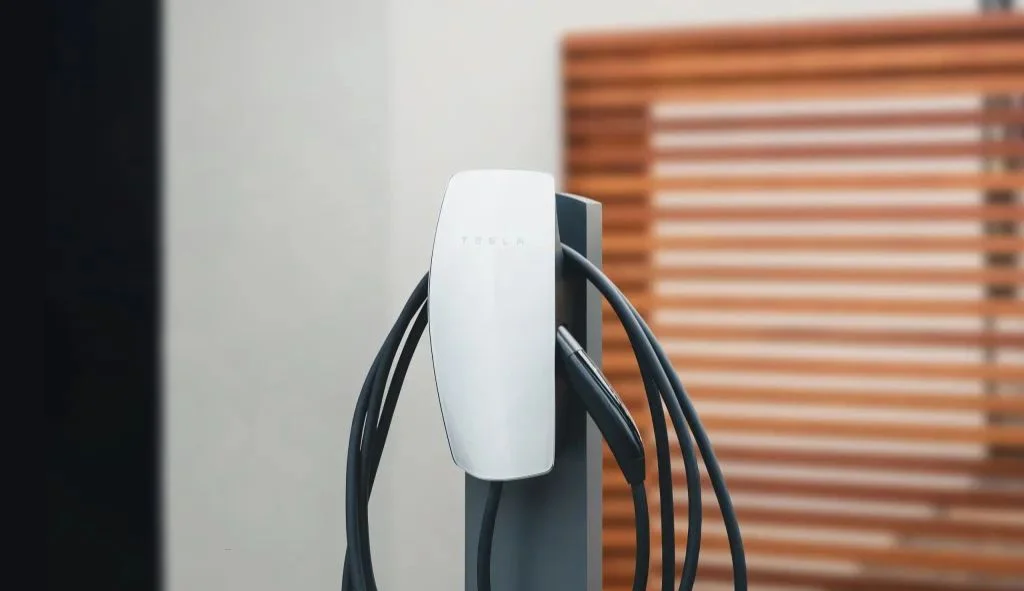
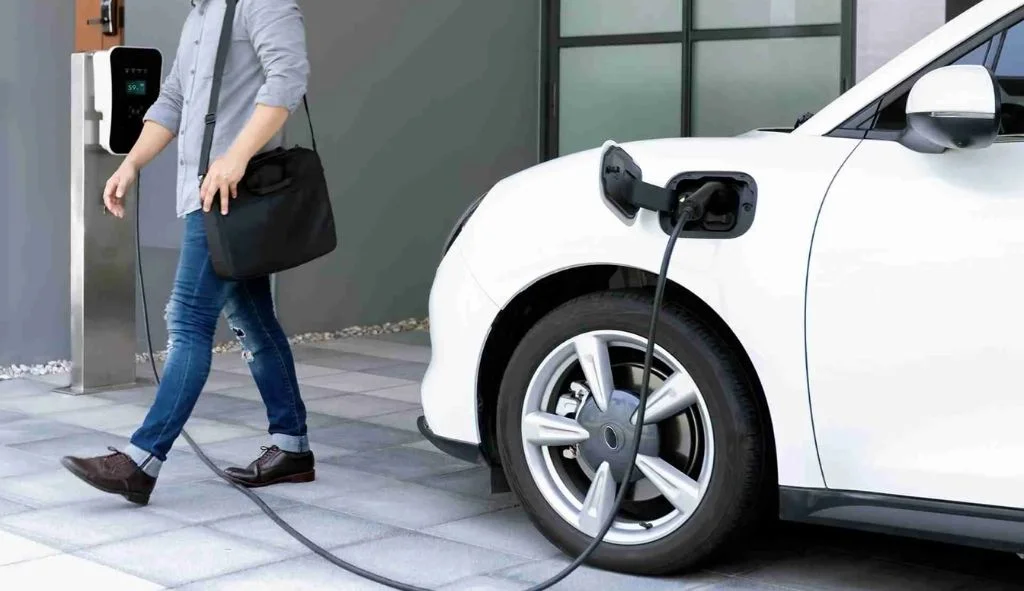
Yes, Tesla Wall Connectors can charge other electric vehicles. Modern versions are compatible with most EVs, though older models may require a dip switch change or adapters for full compatibility.
Understanding Tesla Wall Connector Generations
The compatibility of Tesla Wall Connectors with non-Tesla electric vehicles varies depending on which generation of the charger you have. Each generation offers different features and compatibility options that potential users should understand before making a purchase decision.
Gen 2 Wall Connectors
The second generation Tesla Wall Connectors were primarily designed for Tesla vehicles, but they can be modified to work with other electric vehicles. These chargers don’t have WiFi capabilities like their newer counterparts, but they can still provide efficient charging for non-Tesla vehicles with some adjustments.
Inside the Gen 2 Wall Connector, there are two dip switches that control various settings. Switch 2 specifically controls the protocol settings. By default, this switch is set to the ON position, which is specifically designed for Tesla vehicles. However, toggling this switch to the OFF position activates “Legacy Mode,” which allows compatibility with non-Tesla electric vehicles.
As one Ioniq 5 owner reported: “After switching the second dip switch to the OFF/Down position, my Ioniq 5 charged without any issues!” This simple modification can save you from having to purchase a new charging station if you switch from a Tesla to another EV brand or need to accommodate multiple vehicle types in your household.
The Gen 2 Wall Connector can provide up to 48 amps of power, which translates to approximately 44 miles of range per hour of charging for Tesla vehicles. For other electric vehicles, the charging speed will vary depending on the vehicle’s onboard charger capabilities.
Gen 3 Wall Connectors
The third generation of Tesla Wall Connectors brought significant improvements, including broader compatibility with non-Tesla vehicles right out of the box. These chargers include WiFi connectivity, which allows for smart charging features and firmware updates.
During the setup process, you can configure the Gen 3 Wall Connector to work with different types of vehicles. The setup menu allows you to choose between three options: “Only Authorised Tesla,” “Only Tesla” (which is the default setting), or “Any EV.” By selecting the “Any EV” option, you can use the Wall Connector with any compatible electric vehicle.
The Gen 3 Wall Connector comes with a 7.5-meter cable as standard, providing flexibility in installation and vehicle positioning. It can deliver up to 11.5 kW / 48 amp output, offering fast charging for all compatible vehicles.
Some users have reported issues with specific non-Tesla vehicles, such as the MG ZS EV, where the charger worked for the first couple of charges but then stopped working. These compatibility issues may be resolved through firmware updates as Tesla continues to improve the product.
Universal Wall Connector
Tesla has also released a Universal Wall Connector specifically designed to work with non-Tesla vehicles in North America. This charger uses the J1772 standard connector, which is compatible with most North American electric vehicles.
The J1772 Wall Connector costs around $550, which is competitive compared to similar offerings from competitors like Wallbox and Chargepoint that typically cost around $700. The Universal Wall Connector provides the same charging speed capabilities as the standard Tesla Wall Connector, offering up to 44 miles of range per hour of charging.
For Tesla vehicle owners who want to use the Universal Wall Connector, an adapter is required. Fortunately, this adapter is included with all Tesla vehicles upon delivery, so there’s no need to purchase it separately.
Compatibility with Non-Tesla Vehicles
The compatibility of Tesla Wall Connectors with non-Tesla vehicles depends largely on the charging inlet standard used by your vehicle. There are two primary standards to consider: Type 2 (used in Europe and many other regions) and J1772 (used in North America).
Type 2 EVs (European Standard)
The Tesla Gen 3 Wall Connector is compatible with most electric vehicles that use the Type 2 charging standard. This includes popular European models such as:
- Tesla Model Y/3
- Volkswagen ID.4 and ID.3
- Hyundai Ioniq 5, Ioniq 6, and Kona
- Audi e-tron
- Mercedes EQA, EQB, EQC, EQE, EQS
- BMW iX, i4, i3
- Volvo EX30
- BYD and MG4 models
The compatibility is straightforward for these vehicles, as they use the same physical connector as Tesla vehicles in Europe. The Wall Connector can deliver up to 11 kW of power to these vehicles, providing efficient charging at home or in commercial settings.
J1772 EVs (North American Standard)
For North American vehicles that use the J1772 standard, compatibility depends on the generation of your Tesla Wall Connector and whether you’re using an adapter.
If you have a Universal Wall Connector (with J1772 plug), compatibility is built-in for most North American electric vehicles. No adapter is needed for non-Tesla vehicles, but Tesla vehicles will require the J1772 adapter that comes included with their car.
For standard Tesla Wall Connectors, you’ll need a Tesla-to-J1772 adapter to charge non-Tesla vehicles. These adapters, such as the TeslaTap Mini, allow you to connect any J1772-compatible electric vehicle to your Tesla Wall Connector. Users have reported success charging vehicles like the Hyundai Ioniq 5 and Audi e-tron using these adapters.
Compatibility Settings and Configurations
For Gen 3 Wall Connectors, setting up compatibility with non-Tesla vehicles involves a simple configuration process:
- Put the Wall Connector into WiFi access mode by pressing and holding the button for 5 seconds until it starts flashing5
- Connect to the Wall Connector’s WiFi network using your smartphone
- Access the configuration page through a web browser
- Navigate to the Access Control settings
- Select “Any EV” or “Compatibility Mode” (depending on your firmware version)
This configuration allows the Wall Connector to communicate properly with non-Tesla vehicles and provide charging services without interruption.
For Gen 2 Wall Connectors, the process involves physically changing the dip switch settings inside the charger:
- Disconnect power to the Wall Connector
- Open the Wall Connector enclosure
- Locate the two dip switches inside
- Change Switch 2 to the OFF position (down) to enable Legacy Mode
- Close the enclosure and restore power
These settings allow the Wall Connector to use a more universal communication protocol that works with a wider range of electric vehicles.
Using Adapters for Non-Tesla Vehicles
In some cases, adapters are necessary to bridge the gap between different charging standards. The right adapter depends on your location and the specific connector type used by your vehicle.
Tesla NACS to Type 2 Adapters
For users in regions where Tesla vehicles use the North American Charging Standard (NACS) connector and who want to charge a Type 2 vehicle, a NACS to Type 2 adapter is required. These adapters allow you to connect any Type 2 (European) electric vehicle to a Tesla charging station with a NACS plug.
These adapters typically support charging at up to 11 kW and work with Level 1 and Level 2 Tesla chargers. However, they are not compatible with Tesla Superchargers, which use a different charging protocol.
The cost of these adapters varies, but they typically range from $100 to $150, making them a cost-effective solution compared to installing a completely new charging station.
J1772 Adapters
For North American users with non-Tesla vehicles who want to use a standard Tesla Wall Connector, a Tesla plug to J1772 adapter is necessary. These adapters convert the Tesla connector to the J1772 standard used by most other electric vehicles in North America.
Popular options include the TeslaTap Mini, which users have reported works well with various non-Tesla vehicles. When purchasing an adapter, it’s important to check compatibility with your specific vehicle model, as some adapters may fit too tightly or loosely with certain connectors.
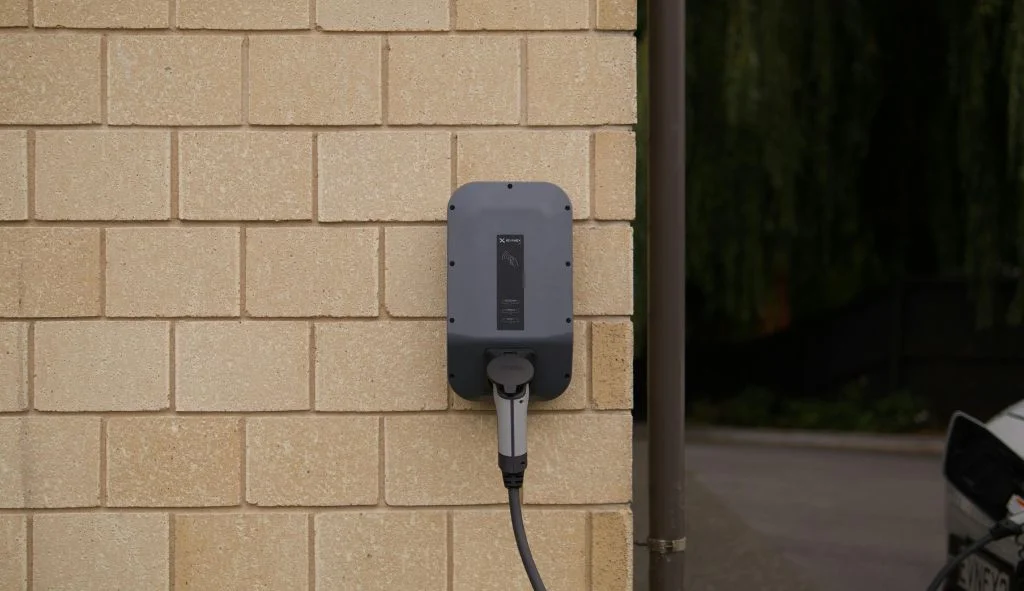
Installation and Setup for Multi-Vehicle Households
Installing and setting up a Tesla Wall Connector to accommodate multiple vehicles, including non-Tesla models, requires careful planning and consideration of several factors.
Power Management Features
One of the standout features of Tesla Wall Connectors is their power management capability. If you have multiple Tesla Wall Connectors installed, they can communicate with each other to distribute the available electrical capacity across several vehicles charging simultaneously.
This feature is particularly useful in multi-vehicle households or commercial settings where multiple charging stations are needed. Up to 12 Wall Connectors can be linked together in this way, making it a scalable solution for larger installations.
The power management features adapt to most home electrical systems, allowing installation in various settings including homes, apartments, condos, and workplaces.
Speed and Charging Capabilities
Tesla Wall Connectors can provide up to 11.5 kW / 48 amp output, which translates to approximately 44 miles of range per hour of charge for Tesla vehicles. For non-Tesla vehicles, the charging speed will vary depending on the vehicle’s onboard charger capabilities.
It’s important to note that most residential properties have single-phase power supplies, which limits the maximum output to around 7.4 kW. However, the Wall Connector is three-phase capable out of the box, allowing up to 22 kW for properties with three-phase power.
When planning your installation, consider both your current and future needs. While 7.4 kW is sufficient for overnight charging of most vehicles (providing around 30 miles of range per hour), having the capability for faster charging can be beneficial if you frequently need to top up your vehicle quickly.
Wall Connector Positioning
The positioning of your Wall Connector is crucial for convenient charging of different vehicle types. The Gen 3 Wall Connector comes with a 7.5-meter (approximately 24.6 feet) cable, which provides flexibility in placement.
Consider the following factors when positioning your Wall Connector:
- The parking orientation of different vehicles
- The location of charging ports on different vehicle models
- Access to electrical supply
- Protection from the elements (the Wall Connector is designed for outdoor use, but positioning it under a covered area can extend its lifespan)
- Future needs and potential additional vehicles
For multi-vehicle households with both Tesla and non-Tesla vehicles, placing the charger in a central location that can reach both parking spots can eliminate the need for multiple charging stations.
Troubleshooting Compatibility Issues
Despite the design considerations for compatibility, users sometimes encounter issues when trying to charge non-Tesla vehicles with Tesla Wall Connectors. Here are some common problems and their solutions.
Common Problems
Some of the most frequently reported issues include:
- Error messages indicating incompatibility
- Charging starts but then stops after a short period
- Charging works inconsistently or only works occasionally
- The charger doesn’t recognize the vehicle at all
- Slower than expected charging speeds
These issues can stem from various sources, including communication protocol mismatches, firmware versions, or physical connection problems.
Solutions for Gen 2 Wall Connectors
For Gen 2 Wall Connectors, the primary solution for compatibility issues is changing the dip switch settings:
- Ensure Switch 2 is set to the OFF (down) position to enable Legacy Mode
- If this doesn’t work, try cycling power to the Wall Connector after changing the switch position
- Some users have reported success with specific sequences of plugging and unplugging, or opening and closing vehicle doors
If changing the dip switch doesn’t resolve the issue, check if your vehicle requires a specific adapter or if there are known compatibility issues with your particular vehicle model.
Solutions for Gen 3 Wall Connectors
For Gen 3 Wall Connectors, try these solutions:
- Ensure the Wall Connector is set to “Any EV” mode in the configuration settings
- If that doesn’t work, try using “Compatibility Mode” instead of “Any EV”
- Update the Wall Connector’s firmware by connecting it to your home WiFi network
- Power cycle the Wall Connector by turning off the circuit breaker, waiting 30 seconds, and turning it back on
- Check the error codes displayed on the Wall Connector and refer to Tesla’s support documentation for specific solutions
For persistent issues, contacting Tesla support or consulting with the vehicle manufacturer may provide model-specific solutions.
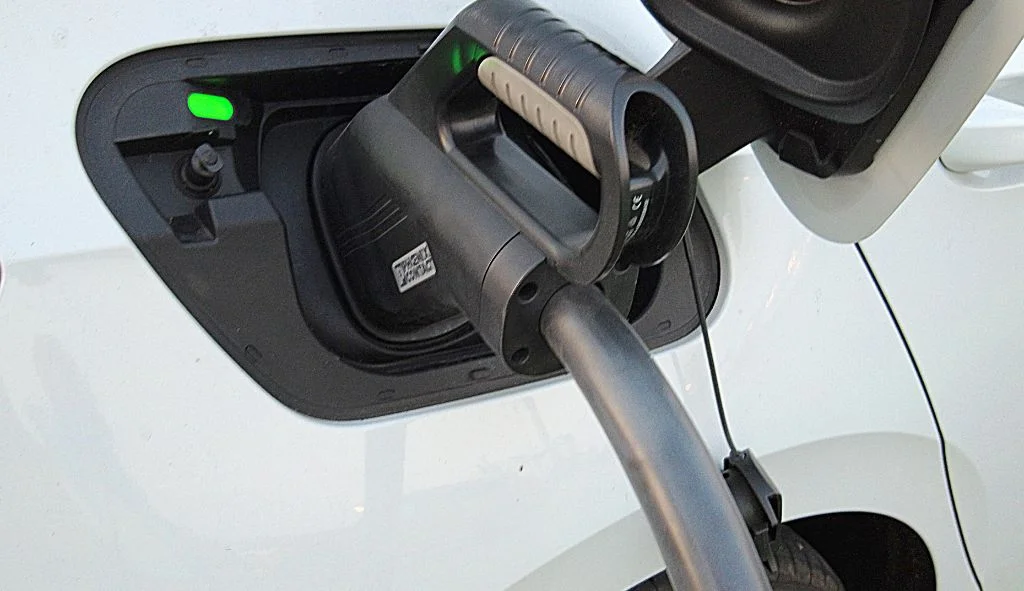
Cost Considerations
When deciding whether to use a Tesla Wall Connector for charging non-Tesla vehicles, cost is an important factor to consider.
Price Comparison with Other EV Chargers
The standard Tesla Wall Connector is priced at around $400, while the Universal Wall Connector (with J1772 plug) costs approximately $550. This pricing is competitive compared to other home EV chargers from companies like Wallbox and Chargepoint, which typically cost around $700.
If you already have a Tesla Wall Connector installed, the cost of an adapter (approximately $100-$150) is significantly less than installing a new charging station. This makes adapters a cost-effective solution for households that have switched from Tesla to another brand or that have multiple vehicle types.
Installation Costs
The installation cost typically represents the largest expense when setting up a home charging solution. This cost includes:
- Running appropriate wiring from your electrical panel
- Installing a dedicated circuit breaker
- Mounting the Wall Connector
- Having the installation inspected and certified
These costs generally range from $500 to $1,500 depending on the complexity of the installation and local labor rates. Since this cost is largely independent of the type of charger being installed, it makes sense to choose a flexible charging solution that can accommodate various vehicle types.
Long-term Value
When considering long-term value, a charging solution that can work with multiple vehicle types offers several advantages:
- Flexibility if you change vehicle brands in the future
- Added value for your home if you plan to sell (as the charging station can work with the new owner’s vehicle regardless of brand)
- Ability to accommodate guests with different electric vehicle brands
- Reduced need to upgrade or replace equipment as your vehicle needs change
The Tesla Wall Connector, particularly the Gen 3 version with its configurable compatibility settings, offers good long-term value due to its flexibility, build quality, and Tesla’s commitment to firmware updates.
Frequently Asked Questions
Can I use a Tesla Wall Connector with any electric vehicle?
Yes, you can use a Tesla Wall Connector with most electric vehicles, but the specific requirements depend on which generation of Wall Connector you have. Gen 3 Wall Connectors can be configured to work with any EV through their settings. Gen 2 Wall Connectors require changing an internal dip switch to enable compatibility. In some cases, an adapter may be needed depending on your vehicle’s connector type.
Do I need an adapter to charge a non-Tesla vehicle with a Tesla Wall Connector?
It depends on your location and vehicle. In North America, non-Tesla vehicles typically use the J1772 standard, so you would need a Tesla-to-J1772 adapter unless you have the Universal Wall Connector with a J1772 plug. In Europe, where Tesla uses the Type 2 standard, most EVs are compatible without an adapter.
How fast will my non-Tesla vehicle charge with a Tesla Wall Connector?
The Tesla Wall Connector can provide up to 11.5 kW / 48 amp output, but the actual charging speed depends on your vehicle’s onboard charger capabilities. For most vehicles, you can expect between 25-40 miles of range per hour of charging, depending on the vehicle’s efficiency and charger capacity.
Will using a Tesla Wall Connector with a non-Tesla vehicle void my warranty?
Using a Tesla Wall Connector with a non-Tesla vehicle should not void your vehicle’s warranty, as long as you’re using appropriate adapters and following the manufacturer’s guidelines. However, modifying the Wall Connector itself (beyond the approved dip switch changes) could potentially void the charger’s warranty.
Can the Tesla Wall Connector charge vehicles with a Type 1 connector?
Yes, but you’ll need a Type 2 to Type 1 adapter. These adapters are readily available and allow vehicles with Type 1 ports (such as older Nissan Leaf, Mitsubishi Outlander PHEV, or pre-2018 BMW i3) to charge from a Tesla Wall Connector.